When we talk about light curtains in industrial automation, we don't mean those fairy light backdrops but a safety guard that discriminates between workpieces and human beings and screens the operators off from the danger. In this blog, we're going to lift the curtain of such an intuitive safety measure that has protected operators during hazardous machine working processes as well as ensured an efficient workflow.
Contents
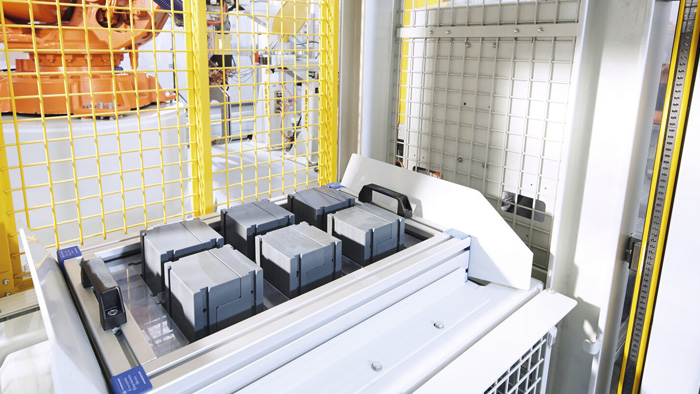
figure 1. light curtain in an automated workflow
How do Light Curtains Work?
Structure and Operation
A light curtain typically contains three parts: housing, the transmitter (emitter), and the receiver, and applies a self-check circuitry that requires fault revisions after entering the stopping condition.
The enclosure of a full set of light curtains is characterized to have aluminum framing, a recessed window, metal end-caps, steel brackets to the main sensor body, and pigtail cord sets with flying leads. Some design includes NBR rubber to provide IP6x water-proof sealing capability.
figure 2. light curtain signal stop order when interrupted
And here comes the "curtain". When correctly mounted, the emitter and receiver form an invisible screen (figure 2) where LED beams transfer between them. The receiver equipped with photoelectric cells only accepts light beams of a specific range of frequencies from the emitter. Thus, once this consistent pattern is interrupted by objects or personnel crossing the screen, it would trigger a stop signal to the machine.
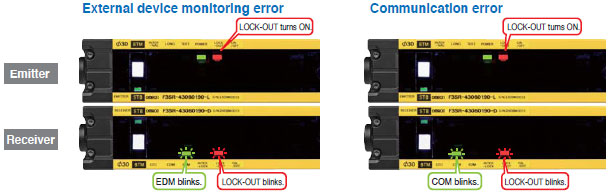
figure 3. light curtain indicators codes
Besides, diagnostic indicators (figure 3) are often equipped to denote errors and the working status of the light curtain. A safety relay is usually connected to the device to execute a stop command or provide a muting function (see in the later chapters).
Specifications
Knowing about important terminologies of the safety light curtain helps you understand the inner logic of it and decide which model to go with more precisely.
Maximum Scanning Distance (Operating/Scanning Range)
This is the maximum distance between the emitter and the receiver that the light beams are capable to be transferred through. It's also called the operation range. In general, a light curtain can withstand a maximum scanning distance of up to 20m. Some applications use mirrors to deflect the beams to protect multiple sides of the machine and avoid the dead zone.
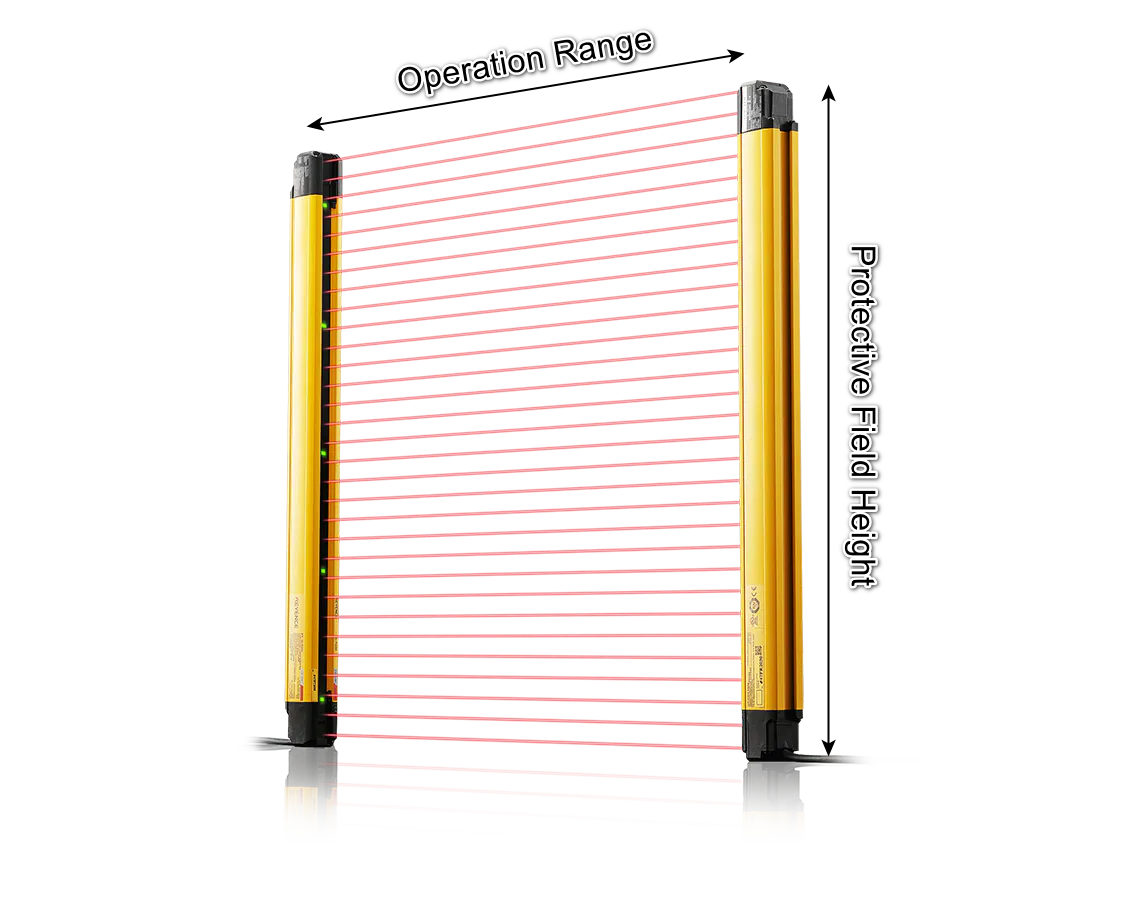
figure 4. light curtain operating range and protective field height
Protective Height
In contrast with the operating range, protective height defines the sensing field height of a light curtain. Usually, this spec can be defined in a variety of heights to suit different guarding needs i.e. point of operation.
Minimum Safe Distance
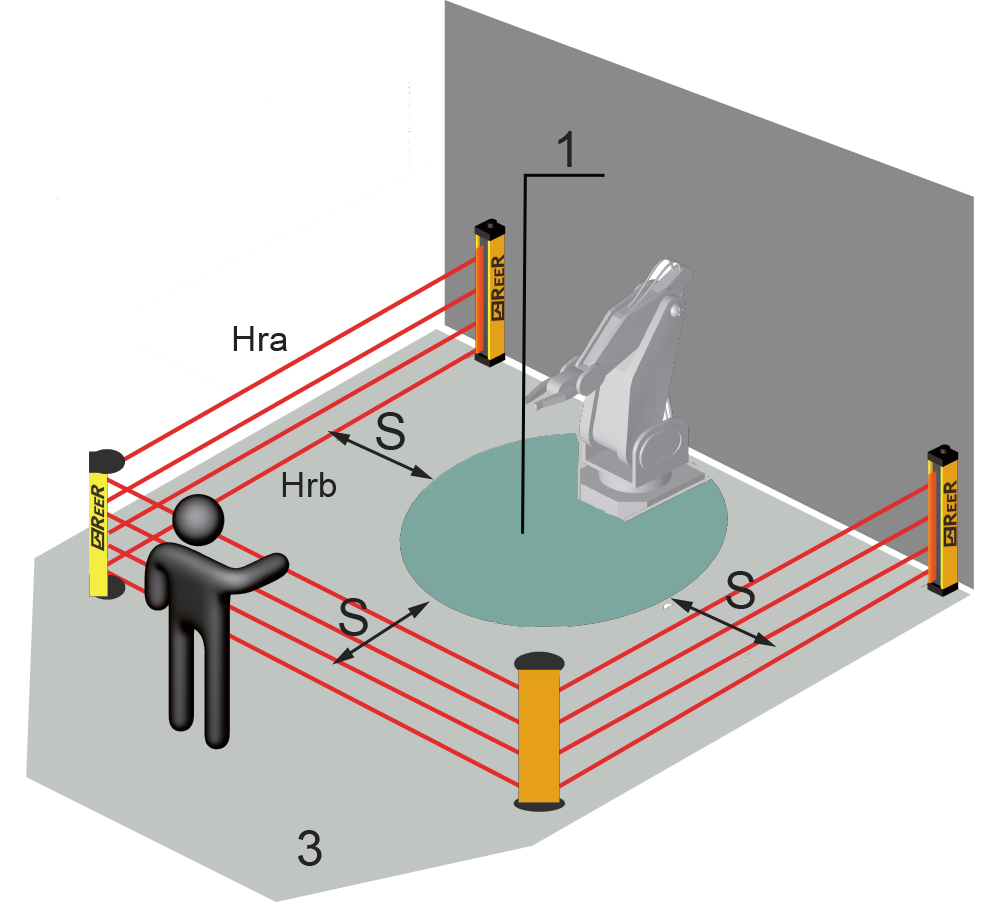
figure 5. safety distance
Another distance-relating terminology is the minimum safe distance which defines the minimum allowable distance between the light curtain's sensing field and the nearest identified hazard, such that the operator or others cannot reach the hazard with a hand or another body part before the machine cycle's hazardous segment comes to a halt.
Resolution
The resolution simply decides the detection sensitivity of the light curtain and directly affects the mounting position of the light curtain. The higher the solution, the closer the safety light curtain can be mounted to the hazardous machinery.
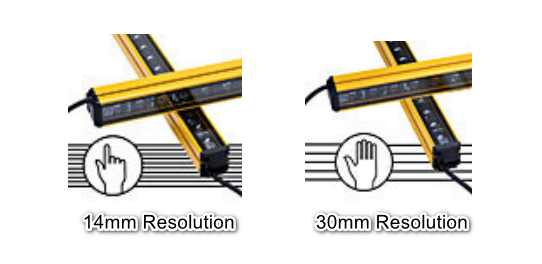
figure 6. common resolution levels: 14mm and 30mm resolution for different risk protection purposes
The diameter of a lens plus the center-to-center distance between neighboring lenses equals resolution. Objects with a resolution greater than the resolution cannot pass through the protected region without causing a problem. The smaller the thing the light curtain can detect, the lower the resolution.
Functions
Muting
The muting feature is an efficient method to increase safety yet claim a proficient workflow. Its mechanism follows a pattern:
The safety light curtain beams in all areas other than where the workpiece passes through are constantly ON.
Only the beams of the safety light curtain that would be interrupted by the workpiece are muted (bypassed).

figure 7. partial muting
This process is also called partial muting. The muting function is particularly needed in the semi-automated workflow where the presence of personnel is required.

figure 8. muting sensors and muting lamps alignment
The muting feature is usually accomplished by installing cross muting sensors, muting lamps, and external controller circuits. However, some light curtains have a built-in controller and integrated muting sensors and lamps, which reduces the wiring diagram and increases convenience.
Override
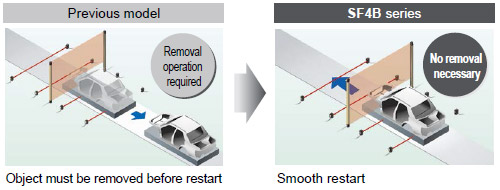
figure 9. the override feature
"Override" is another term for muting that permits the line to be smoothly restarted after it has stopped while muting control was engaged. This is required to make a system transparent, such as when a pallet becomes stuck in a safety light curtain, stopping the conveyor and the conveyor needs the power to remove the pallet momentarily.
Blanking
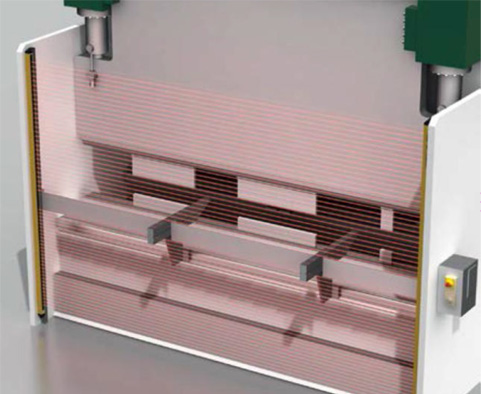
figure 10. blanking feature
When the light curtain's protection field is inevitably intercepted by the material being worked on or by a permanent or mobile portion of the machine, the blanking function comes in handy. Even if a pre-determined number of beams within the protection fields are intercepted, it is possible to maintain the light curtain's safety outputs ON and the machine running in practice. Two kinds of blanking are performed in the automation industry.
Floating Blanking –It lets an object travel freely within the light curtain's protection field while occupying a certain number of beams, as long as the occupied beams are contiguous and their number does not exceed the configured number.
Fixed Blanking – It is used when a stationary object, such as tools, fixtures, or conveyors, obstructs a section of the sensing field
Cascading
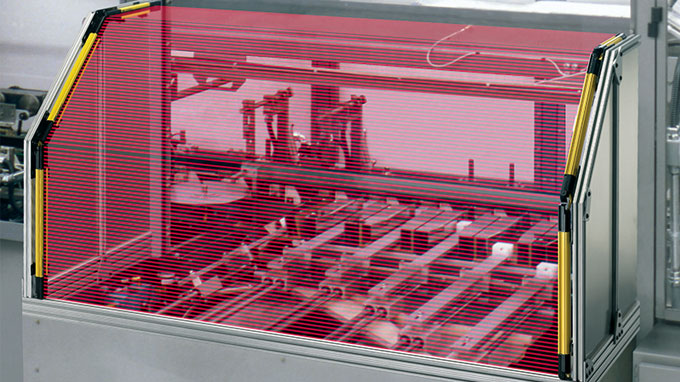
figure 11. cascading feature extends protective corners of the light curtains
Cascading enables the creation of custom shapes by connecting multiple light curtains in series. Cascading safety light curtains allow the user to daisy chain multiple emitters to connect additional sets of light curtains. The use of cascading safety light curtains reduces wiring and provides a low-cost yet effective machine guarding solution.
Types of Light Curtains

figure 12. point protection, access protection
Point of Operation Guarding (POC) Light Curtains
The pinch point, or zone of hazardous operation, is another name for the point of activity. Mechanical and hydraulic power presses, molding presses, stamping, shaping, riveting, eyelet, and automated assembly machinery all use this type of protection. Light curtains are commonly utilized in these applications to protect fingers and hands. These light curtains are usually placed right next to the machine, where the worker will interact with it.
Perimeter Access Control (PAC) Light Curtains
Light curtains are typically used in these applications to detect the presence of personnel and alert the machine controller, allowing dangerous conditions to be avoided while the personnel is present within the protected area. To prevent the automatic resumption of machine motion, the light curtain reset switch must be situated outside and visible from the protected area. Arm and body detection is the most common reason for using light curtains for perimeter security.
Type 2 and Type 4 Light Curtain

figure 13. type 2 and heavy-duty type 4 safety light curtain
The table below demonstrates the differences between Type 2 and Type 4 light curtains. The primary difference between Type 2 and Type 4 light curtains is the protection level they provide.
| Type 2 Light Curtains | Type 4 Light Curtains |
| Detection and Reaction | Runs tests on internal circuits | Repetitive, automated cross-checking for flaws and errors |
| Not appropriate for high-risk situations | Immediate stop signal |
| No auto-restart before the system is reset |
| Field of Visions | ±5 degrees, more likely to arise optical short circuit | ±2.5 degrees |
| Expense | Less expensive | More expensive |
| Application Situations | Occasionally used as the secondary safety method | Almost exclusively the primary safety method |
| Protection Levels | Not for finger or fingertip protection | Available for the body, hand, finger, and even fingertip protection |
Final Thoughts
Before you pick and install the light curtain, please consult your technicians and do this quick checklist to help you decide on the right light curtain.
How often do people come into contact with this machine?
What kind of interactions do the operators act on this machine?
How likely is it that you will sustain an injury?
What is the requiring distance between the corners?
Safety measures can't be too carefully dealt with. Complicated safety systems can make it more likely for operators to try to bypass safeguards which increases the risk of injury and downtime. Light curtains have been profoundly used in industry practice and by proper use they can avoid loss of personal property as well as increase work efficiency.
Read On
>> What is an SPD (Surge Protection Device)
>> Time to Replace With PTC Resettable Fuses


 Marshall ·