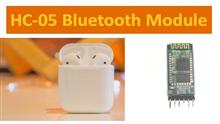
The communication with this module is accomplished via the UART interface. The data is either sent to the module or received from the module via this interface. Therefore, it is possible to attach the device to any type of microcontroller, or directly to a computer with an RS232 port. A typical interface circuit for the module to an Arduino can be seen below.

The module connects to a 5V normal power supply that is regulated and the UART interface is set up as illustrated in the figure. All you have been doing is to join the RXD of the Arduino module to the TXD module, and the TXD of the Arduino is connected with RXD of the module using the voltage divider of a resistor. This voltage divider can be used to convert 5V logic signals generated by the Arduino into 3.3V logic signals that can be used by the module. The ground of the Arduino and module should be connected to provide voltage reference when different power sources are employed.
When you connect the module, you must write the program using the Arduino IDE and transmit information to the device. To make sure that your wireless connection is successful, it is important to keep in mind some things:
In programming, you must adjust the default baud rate of UART serial communications to 9600. This is the standard setting for the module and can be altered within your program.
The module functions as considered a slave device, so it requires a master in order to set up a reliable wireless interface. To do this, you'll need a different setup or your smartphone as a master device and look up the HC-06 slave.
The master search for the slaves and then connects after authentication with a password. The HC-06 module comes with a default password of 1234 that can be altered.


 Anita ·